Goto previous part

Stage 2
-------
Your Falcon needs extremely minimal modification in order to remove the CF disks
from  it. This  guide  assumes you  have a  standard  Falcon, with  the 2.5" HDD
bracket. If you already modifed your Falcon into a tower case or whatever then I
guess you  can figure out  another way to  do this. In  fact if you have a tower
case you  might want  to look at  a CF->IDE adaptor that fits in a 3.5" or 5.25"
drive bay, again there are a few of these guys around.

1) Open up your Falcon

2) Put the CF -> IDE adapter, with  the CF disk, in the  HDD bracket  inside the
   Falcon. Now move the adapter backwards so it touches the end of the case, and
   mark on the case the position of the CF disk.
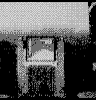
Marking out your Falcon's case.

3) Cut the smallest  possible slot in the  Falcon case using a saw and a file so
   that the CF disk (without the adapter) can just slide through when the lid is
   on. See picture:
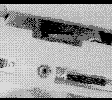
Cutting the Falcon's case - arghhh!!

4) Cut the CF -> IDE adapter as shown in this picture:
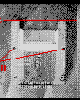
Saw about 10mm from the top part of the adapter, and drill 2x 3.5mm holes.

                                                  Goto next part

gwEm for Alive (May/June 2004 and Jan 2005)
|